
 Smartphones
Phones
🔋 Why Your Phone Battery Drains Fast: Causes & Solutions | Dondolo Shop Uganda
15
Jun
Jun
🔋 Why Your Phone Battery Drains Fast?
Common causes and practical solutions to extend your battery life
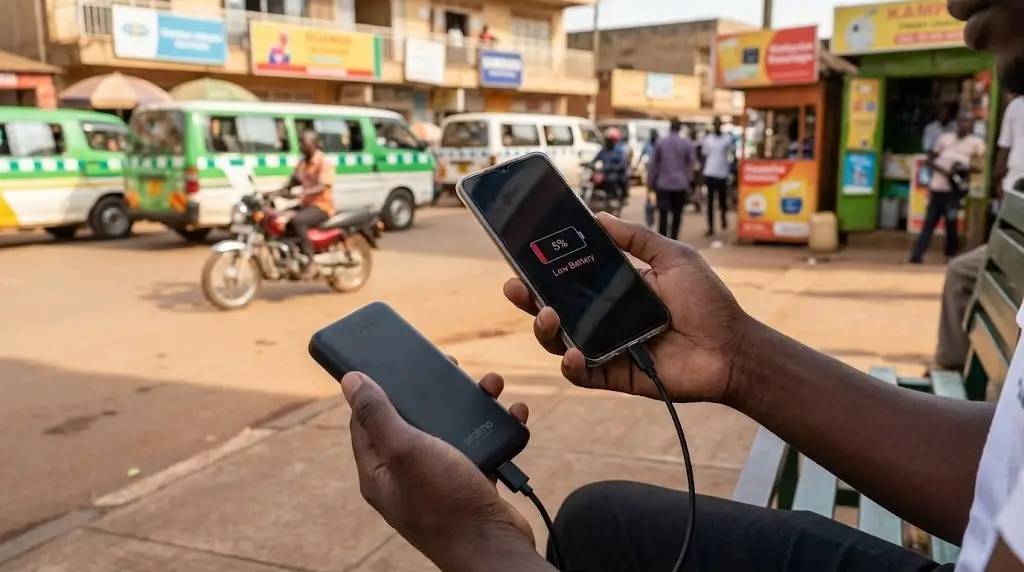
You charge your phone to 100% in the morning, but by lunchtime, you’re already searching for a power bank. Sound familiar? Fast battery drain is one of the most common frustrations for smartphone users in Uganda and around the world.
At Dondolo Shop, Kampala, we’ve helped thousands of customers understand their devices better. In this guide, we’ll explore the top reasons for rapid battery drain and share practical solutions to keep your phone running longer.
📱 Common Reasons Your Phone Battery Drains Fast
1. 🔆 Screen Brightness is Too High
The display is one of the biggest battery consumers on any smartphone. Running your screen at maximum brightness forces your battery to work overtime, especially under Uganda’s bright sunlight.
✅ Solution: Enable Auto-Brightness or reduce manual brightness to 50-60%. Your eyes will adapt, and your battery will thank you.
2. 📡 Constant Connectivity (Wi-Fi, Bluetooth, GPS, Mobile Data)
Leaving Wi-Fi, Bluetooth, GPS, and mobile data on at all times forces your phone to constantly search for signals, draining battery even when idle.
✅ Solution: Turn off Bluetooth and Wi-Fi when not in use. Use Airplane Mode in low-signal areas. Disable GPS for apps that don’t need your location.
3. 🏃♂️ Too Many Apps Running in the Background
Social media apps like Facebook, WhatsApp, and Instagram constantly refresh in the background, consuming significant power.
✅ Solution: Go to Settings > Battery > Battery Usage to see which apps drain the most. Restrict background activity for non-essential apps.
4. 📳 Unnecessary Notifications & Vibrations
Every time your screen lights up with a notification or your phone vibrates, it uses energy. Multiply that by hundreds of daily notifications, and your battery suffers.
✅ Solution: Disable notifications for non-essential apps. Switch from vibration to sound or silent mode when possible.
5. 🌙 Dark Mode is Turned Off (For AMOLED Screens)
If your phone has an AMOLED display (common in Samsung Galaxy devices), dark mode saves significant battery because black pixels are actually turned off.
✅ Solution: Enable Dark Mode in display settings. Set it to turn on automatically at sunset for best results.
6. 🔋 Why Your Phone Battery Drains Fast – Old or Degraded Battery
All batteries lose capacity over time. After 2-3 years of regular use, your battery may hold only 70-80% of its original charge.
⚠️ Solution: Check your battery health in settings (iPhone: Settings > Battery > Battery Health). If below 80%, it’s time for a professional battery replacement. Visit Dondolo Shop for genuine battery replacement services in Kampala.
7. 📱 Outdated Phone Software
Software updates often include battery optimization improvements. Running an old version means missing out on these fixes.
✅ Solution: Keep your phone updated to the latest software version. Go to Settings > System > Software Update.
8. 🔌 Fake Chargers and Cables
Buying a cheap, fake charger from the streets might seem like a quick fix, but it’s a silent killer. Counterfeit cables deliver inconsistent voltage. Over time, this literally fries your battery’s internal chemistry, reducing its total lifespan.
✅ The Fix: Always invest in genuine smartphone accessories. It saves you the cost of replacing a dead phone battery months down the line.
🔧 Quick Battery-Saving Checklist
- ✅ Reduce screen timeout to 30 seconds
- ✅ Always use genuine smartphone accessories
- ✅ Turn off “Hey Google” or “Hey Siri” wake word detection
- ✅ Disable animated wallpapers and live widgets
- ✅ Use Battery Saver / Low Power Mode
- ✅ Avoid extreme temperatures (heat damages batteries)
- ✅ Charge between 20% and 80% for optimal battery health
- ✅ Unplug chargers once battery reaches 100%
✨ Pro Tip for Samsung and iPhone Users
For Samsung Galaxy devices: Go to Settings > Device Care > Battery > Power Saving Mode. Also, enable “Adaptive Battery” to learn your usage patterns.
For iPhone users: Go to Settings > Battery > Low Power Mode. Also, check “Battery Health” regularly to monitor maximum capacity.
⚡ When to Replace Your Battery
Even with perfect habits, phone batteries don’t last forever. Here are signs it’s time for a replacement:
- 📉 Phone dies at 20-30% battery remaining
- 📉 Battery drains from 100% to 0% in under 4 hours of light use
- 📉 Phone randomly shuts down even with battery showing charge
- 📉 Battery health below 80% (iPhones) or battery cycles exceed 500 (Samsung)
- 📉 Phone gets unusually hot during charging or normal use
If you’re experiencing any of these issues, visit Dondolo Shop in Kampala for professional, genuine battery replacement services for all major brands including Apple iPhone, Samsung Galaxy, Tecno, Infinix, and Huawei.
❓ Frequently Asked Questions
Does leaving my phone plugged in overnight ruin the battery?
Modern smartphones are smart enough to stop pulling current once they hit 100%. However, keeping it constantly at 100% generates heat, which can slightly degrade the battery over years. It’s safe, but using optimized battery charging settings is better.
How can I tell if my power bank is original in Uganda?
Fake power banks are lightweight, don’t hold the advertised capacity, and lack brand authentication stickers. The best way to ensure originality is to buy from trusted, established retailers like Dondolo Shop in City Plaza.
Which power bank capacity is best for everyday use?
A 10,000mAh power bank is great for daily commutes as it’s light and charges a phone twice. If you travel upcountry or face long load shedding, a 20,000mAh power bank is the safest choice.
🎯 Final Thoughts
Fast battery drain doesn’t always mean you need a new phone. Often, simple adjustments to your settings and habits can dramatically improve battery life.
However, if you’ve tried all the solutions above and still struggle with poor battery performance, it may be time for a professional battery replacement. A new, genuine battery can give your phone a second life, saving you thousands compared to buying a new device.
At Dondolo Shop, Kampala, we specialize in genuine battery replacements for all smartphone brands. Our technicians use only authentic parts and provide a warranty on all repairs.
